How to Register for and Use MyAccount
MyAccount is a website for Sierra Club members and supporters. You can adjust your contact information and communication preferences, and view your membership, donation and store purchase history. You can also access other portals of information.
NOTE: If you are a Salesforce user, you will have to use your multi-factor authentication credentials to log in to MyAccount. Your password for Salesforce is the same as your password for MyAccount.
Create your account | Log in | Reset Your Password | Help
How to Create your account
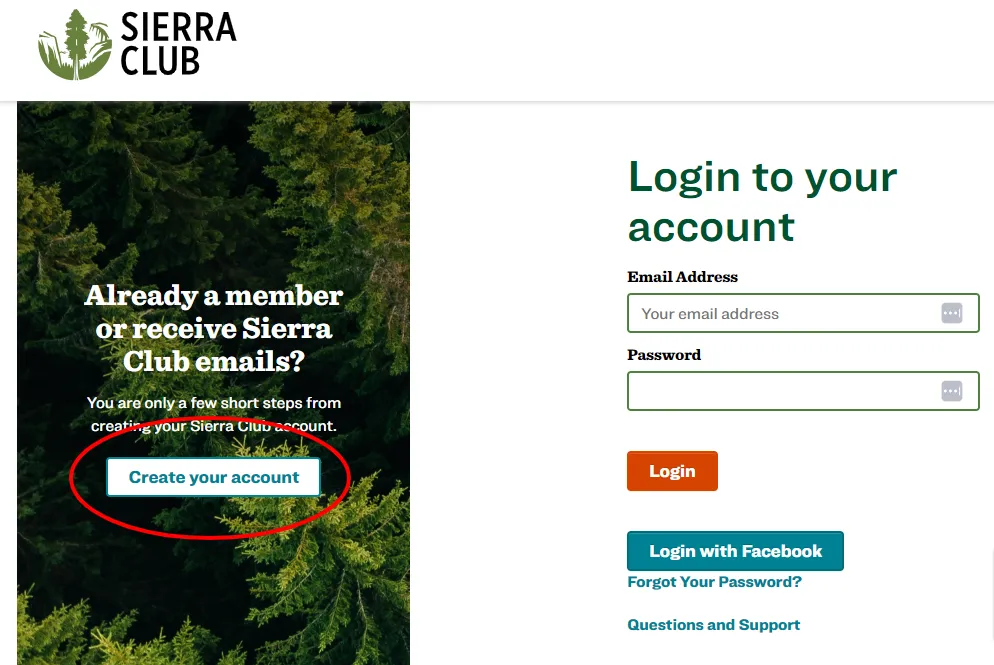
Click on the Create your account button on the left.
If you know your Membership Number, which you can find on the mailing label of your Sierra Magazine, you can enter it on the left, along with your zip code and email address, then click on the Create account from membership button.
If you don’t know or don’t have a Membership Number, enter your first name, last name, zip code and email address on the right, then click the Create new account button.
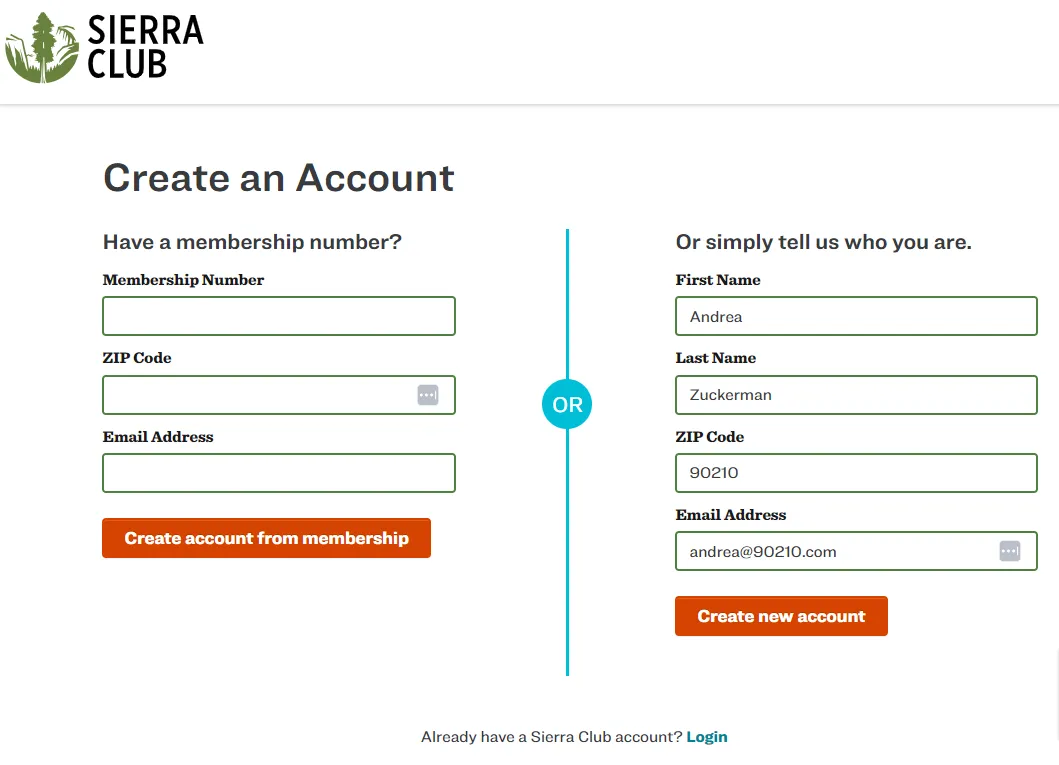
If you are already in the database, you will be prompted to select your record and the system will email you a link to set your password and validate your information. Follow the instructions in the email and you’ll be set!
If you have any questions or run into any trouble, please email member.care@sierraclub.org.
How To Log In
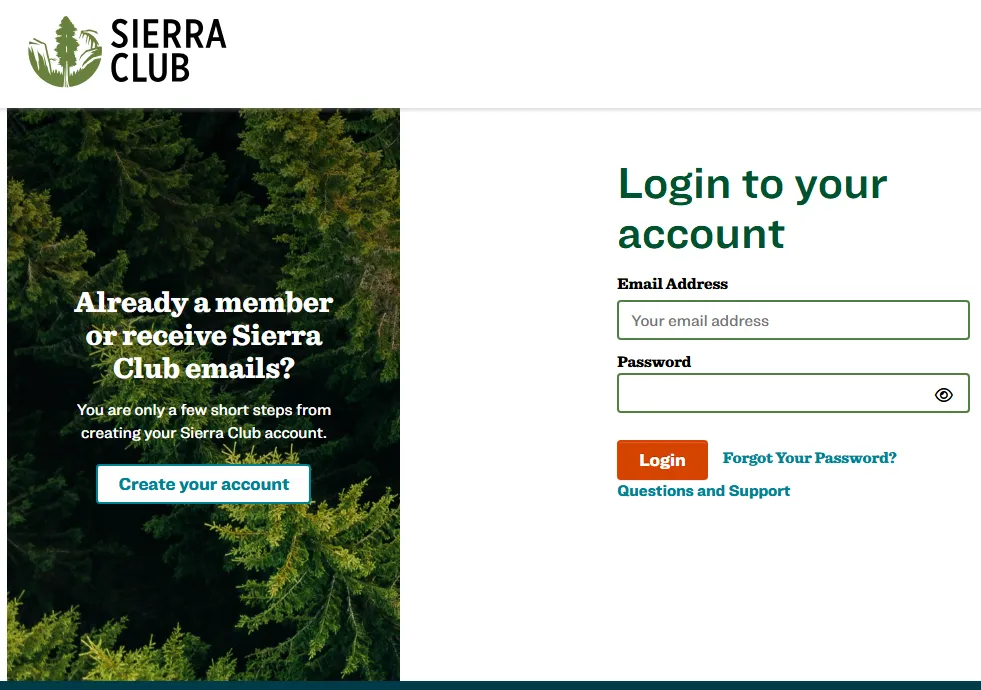
On the login page, enter your email address and password on the right and click the Log in button.
How To Reset Your Password
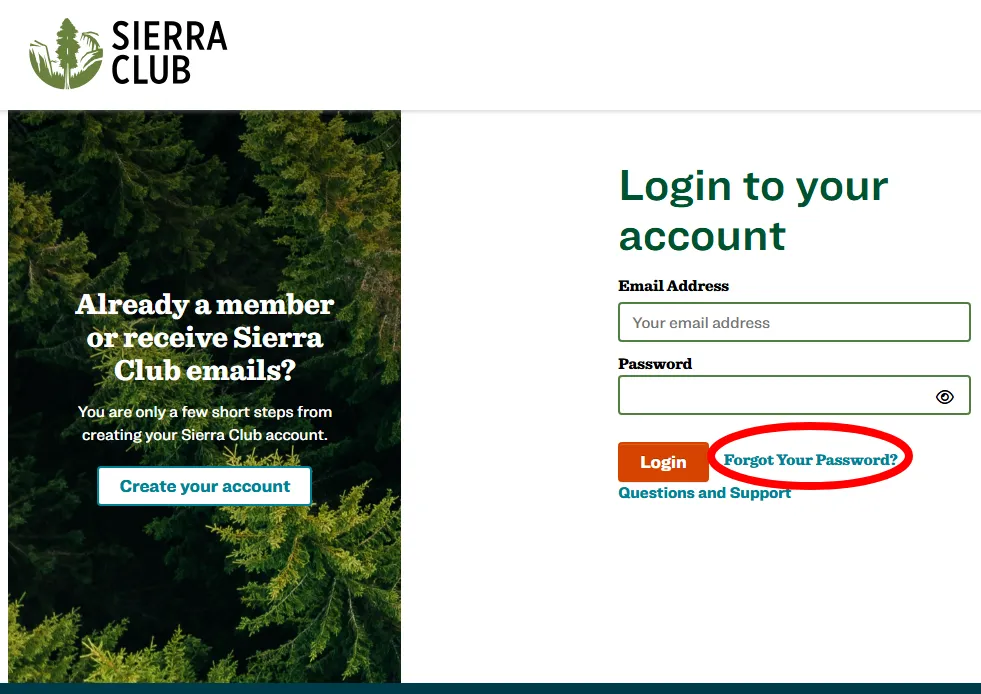
If you need to reset your password, click on the Forgot your password? link.
Where to go for help
If you have any questions or run into any trouble, please email member.care@sierraclub.org.