How to Adjust Contact Information and Communication Preferences in MyAccount
MyAccount is a website for Sierra Club Members and supporters. You can adjust your Communication Preferences in MyAccount without having to go through someone with access to the database. If you don’t have your account set up yet, you can easily create your own account and set up how you prefer to be contacted. You can also access other portals of information.
NOTE: If you are a Salesforce user, you will have to use your multi-factor authentication credentials to log in to MyAccount. Your password for Salesforce is the same as your password for MyAccount.
- Adjust Communications Preferences in MyAccount
- How to get emails from your Chapter/Group and not National
- Adjust Preferences through a Sierra Club email footer
- Where to go for help
Adjust Communications Preferences in MyAccount
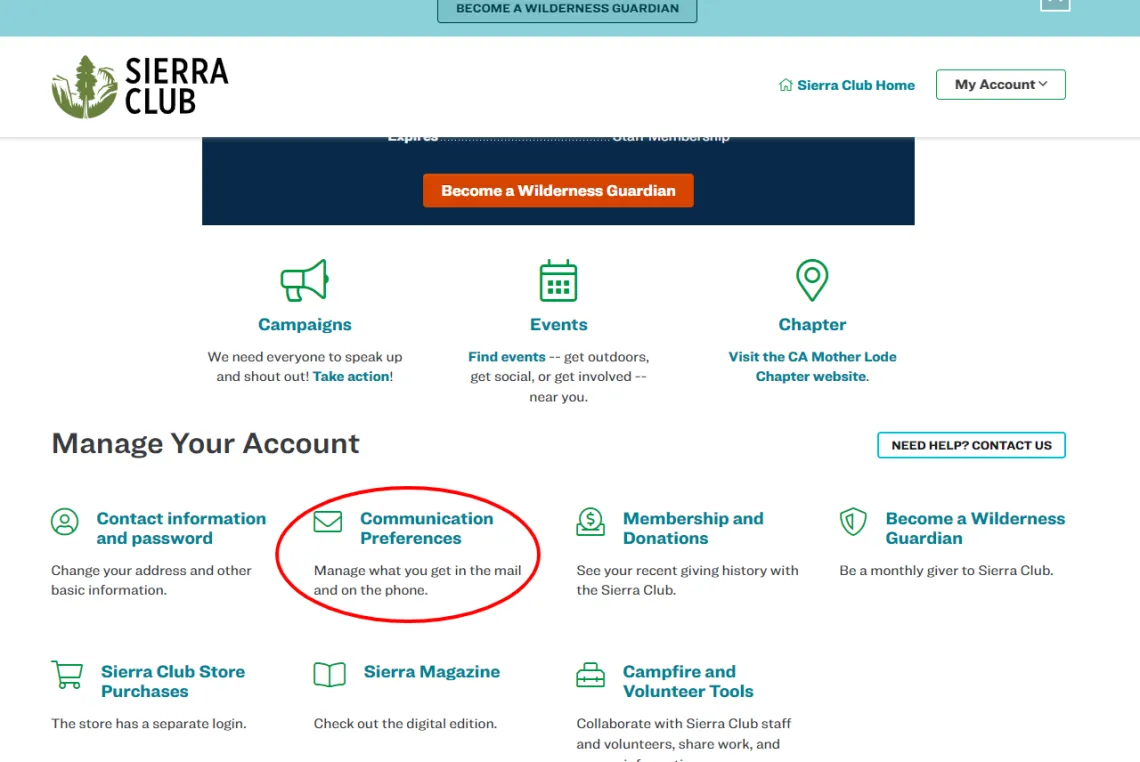
Log in to MyAccount, then scroll down and click on the Communication Preferences button, in the Manage Your Account section of the page.
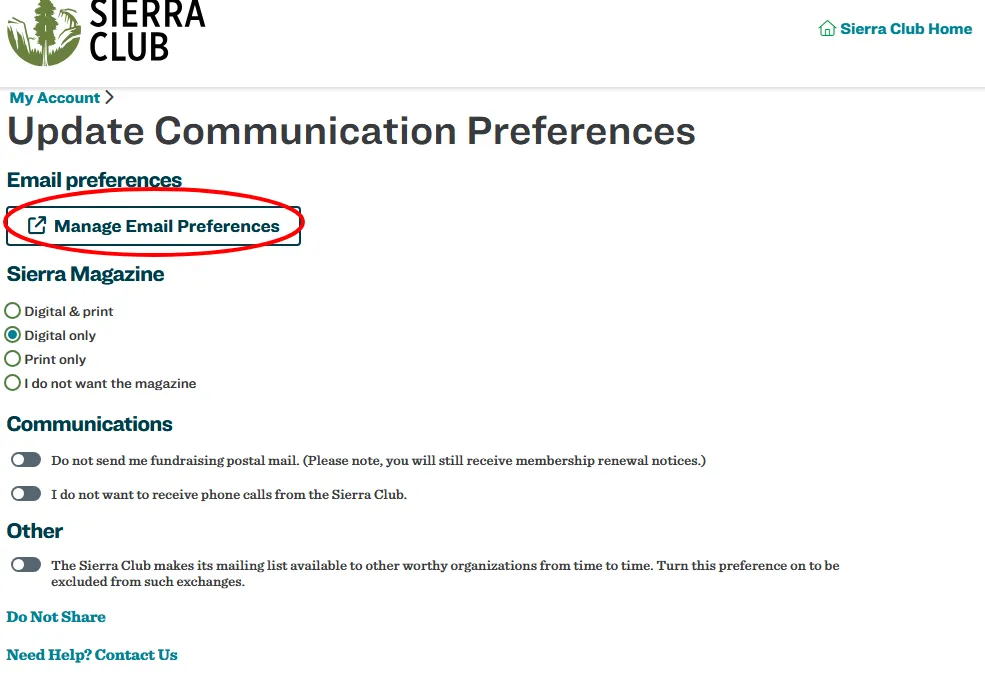
On the page that follows, you can adjust some of your preferences, such as your Sierra Magazine subscription (if you’re a member), fundraising mail, phone and share preferences.
To adjust your email preferences, click on the button that says “Manage Email Preferences”.
From there, you will be taken to the Manage Email Preferences page where you have many options for subscribing and unsubscribing from email lists.
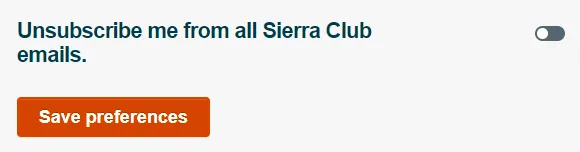
You can unsubscribe from all Sierra Club emails, or select any other option.
To see local options, scroll down to the open up the Your local subscriptions section.
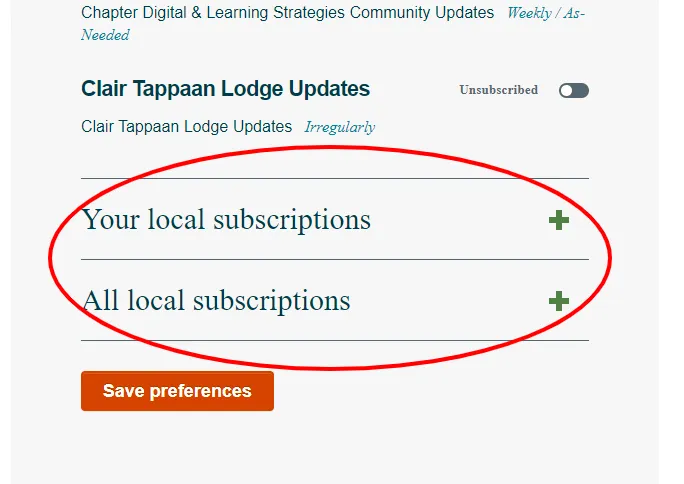
You can also subscribe to other local lists.
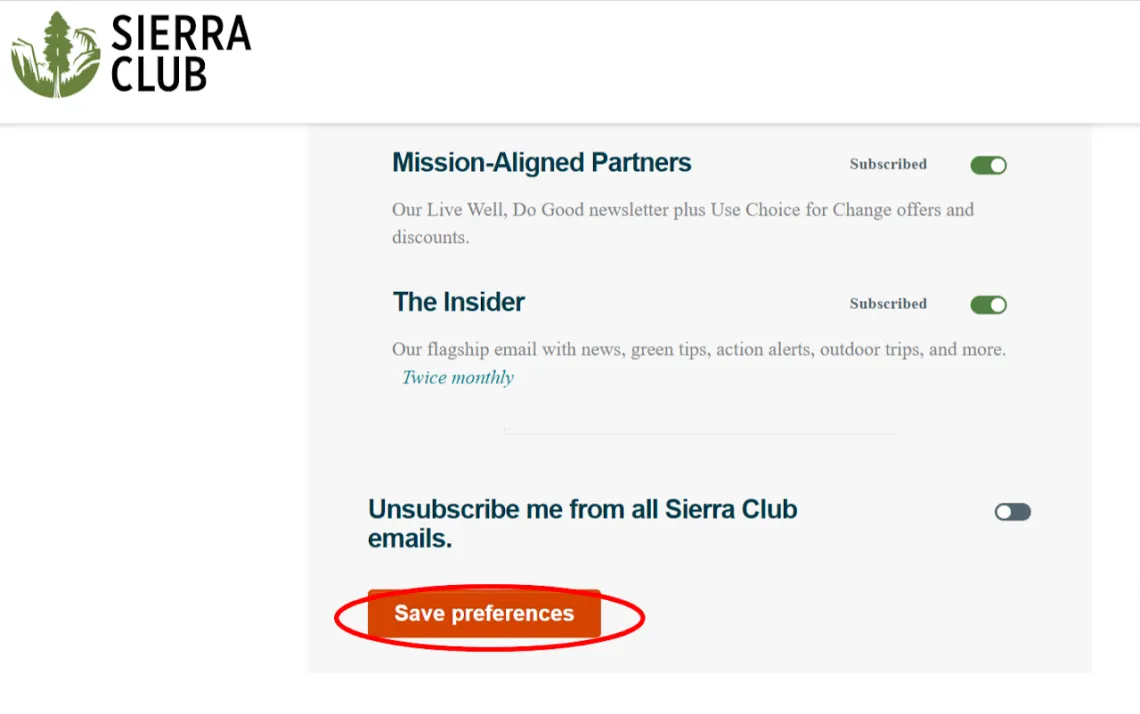
Be sure to click the Save preferences button in order to save your changes.
How to get emails from your Chapter/Group and not National
Make sure you are subscribed to your local Chapter and/or Group in MyAccount. Then email member.care@sierraclub.org so they can add a No General Email Contact Preference to your Contact record. Make sure the Unsubscribe me from all Sierra Club emails toggle is not checked.
Adjust Preferences through a Sierra Club email footer
To update your preferences without the use of MyAccount, open any email from Sierra Club in your inbox. Please be sure it is an email that was sent to you directly from Sierra Club, and not forwarded to you by someone else. Scroll down to the bottom of the email until you reach its footer.
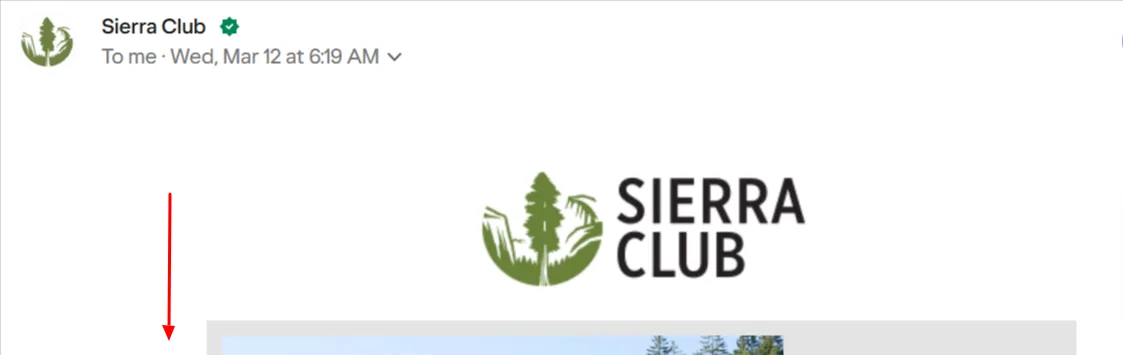
In the footer of the email, click the link for Manage Preferences.

On the web page that follows, you can update preferences as needed by toggling them on or off. Just be sure to click the Save preferences button at the bottom when done.
Where to go for help
You can fill out this form in MyAccount, or email member.care@sierraclub.org.